The 16-bit and other generation game titles still hold my attention. Installing RetroArch on a Fire HD tablet allows classic gaming in a mobile style.
Installing RetroArch takes a little extra work, it must be side-loaded via SD memory card for the Fire HD tablet. Once installed & setup, it’s available from the home screen of the tablet. The menu has multiple options for the display. At the time of my setup, the ribbon and bar style similar to PlayStation3 navigation was the default. More information can be found on the web & at RetroArch.com.
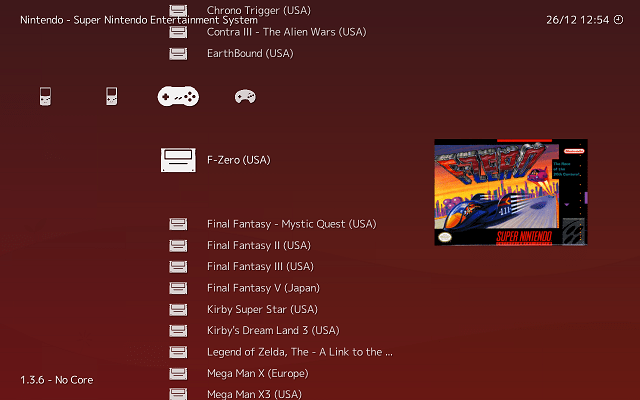
The software allows for emulation cores to be used. The game (ROM) files required must be obtained separately. It is taken that you own the original game cartridges on their original platform. I do own physical copies of F-Zero (SNES) and Pokemon LeafGreen (GBA) shown in my examples.
The emulation for Sega Genesis, Nintendo GameBoy, GameBoy Color, GameBoy Advance, and Super Nintendo perform well on the tablet. Adding a Bluetooth SNES-style controller to the mix completes the trip down memory lane.
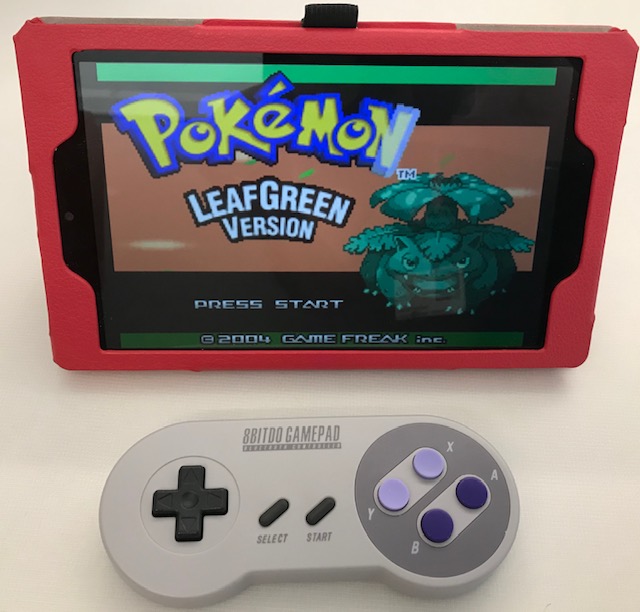
This is the older model SN30 from 8BitDo (link to a newer model). I am not an expert, but I cannot discern any lag in game play with direction or button input. The battery has lasted well for up-to-roughly-two-hour play sessions so far. The controller recharges on the included micro-USB cable. Bluetooth pairing has been straight forward with multiple devices.
Overall, this is a great mobile classic gaming setup.
 Professor Stanimal